
Download MX IPTV Player – Live TV Streaming, 4K Playback, M3U Support
Overview
MX IPTV Player is a high-performance streaming application tailored for users seeking a seamless experience in accessing live television, movies, and on-demand content across multiple Android-powered devices. Designed for Android Smart TVs, TV sticks, smartphones, and tablets, the app delivers optimized playback performance, ensuring minimal buffering and consistent streaming quality. Its primary purpose is to serve as a reliable media player for M3U playlists, enabling users to organize and view their favorite channels and content with ease.
The app targets IPTV enthusiasts, home media users, and individuals who rely on custom streaming sources for entertainment. While the developer's background is not disclosed in the provided details, the app's focus on performance and usability suggests a dedicated approach to media playback optimization. Real-world use cases include watching live sports, news, international channels, and curated movie collections through personalized playlists. In the current digital streaming landscape, MX IPTV Player fills a niche by offering a lightweight yet powerful tool for users who prefer direct playlist integration over subscription-based platforms.
As part of the broader mobile utility ecosystem, MX IPTV Player enhances the functionality of Android devices by transforming them into full-featured media centers. Its ability to support multiple resolutions, including 4K, positions it as a strong contender for users who prioritize visual quality and playback stability. The app’s role in enabling access to diverse content sources underscores its relevance in the evolving home entertainment market.
Key Features & Functionality
- Lightning-Fast Streaming: The app is engineered to load M3U playlists in seconds, minimizing wait times and enabling immediate access to live channels and video content. This feature is especially beneficial for users managing large playlists or switching between multiple sources.
- User-Friendly Interface: With an intuitive layout, users can navigate through channels and content without technical barriers. Even those unfamiliar with IPTV platforms can quickly learn how to use the app for daily viewing.
- 4K & Full HD Ready: MX IPTV Player supports high-resolution playback, delivering sharp visuals and vivid colors on compatible devices. This ensures a premium viewing experience whether on a large Smart TV or a handheld tablet.
- Rich Content Information: Users gain access to metadata such as release dates, cast details, trailers, and ratings for movies and series. This contextual data enhances content discovery and helps viewers make informed choices.
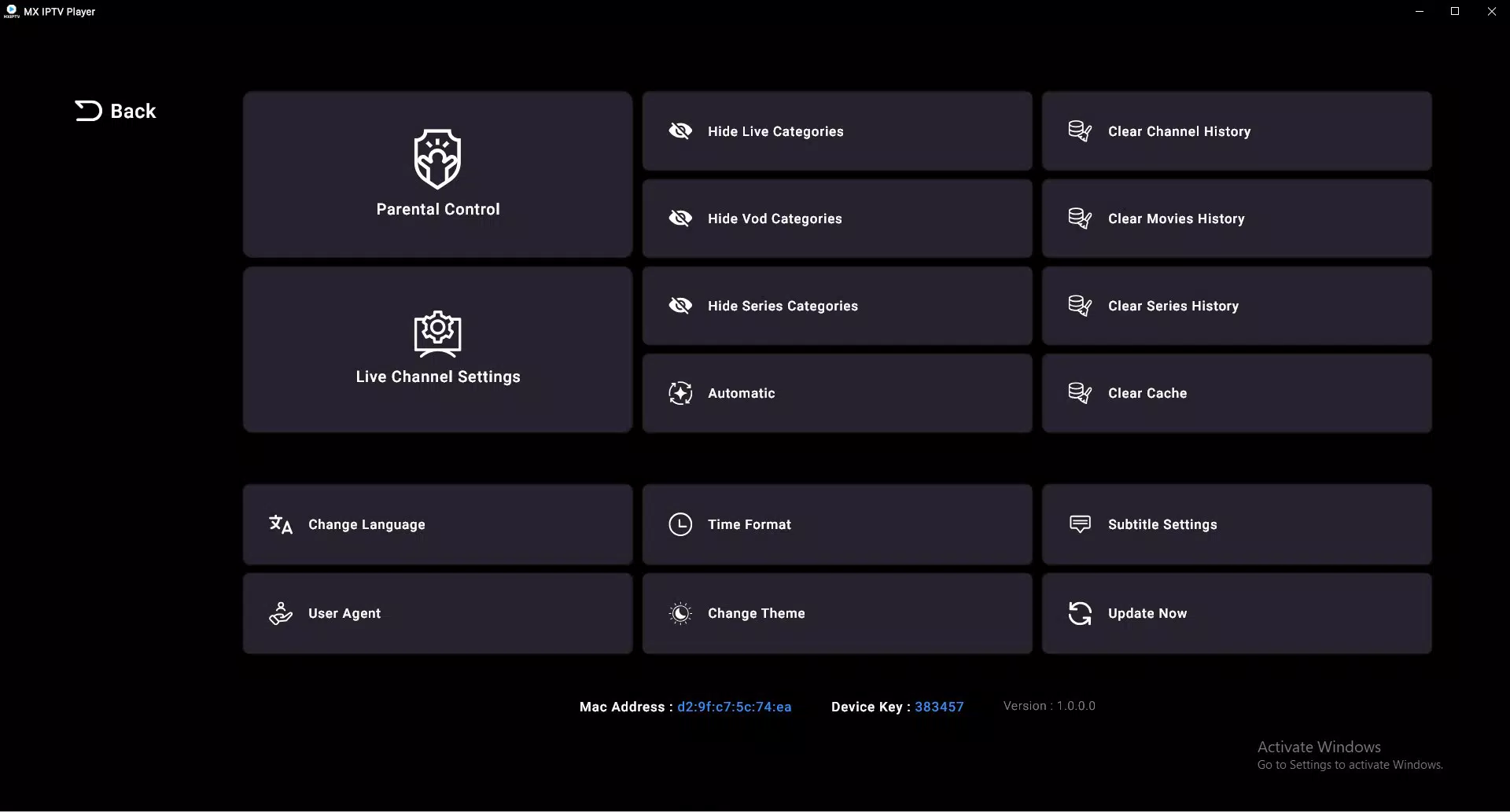
- Advanced Parental Controls: The app includes tools to restrict access to specific content, allowing parents to manage what younger users can view. This feature contributes to a safer, family-friendly environment.
For example, a user streaming live sports on a Smart TV can benefit from fast playlist loading and 4K playback, while a parent watching with children can activate parental controls to block inappropriate content. Similarly, someone browsing for new movies can use the built-in information features to decide what to watch based on cast and ratings.
Interface, UX & Performance
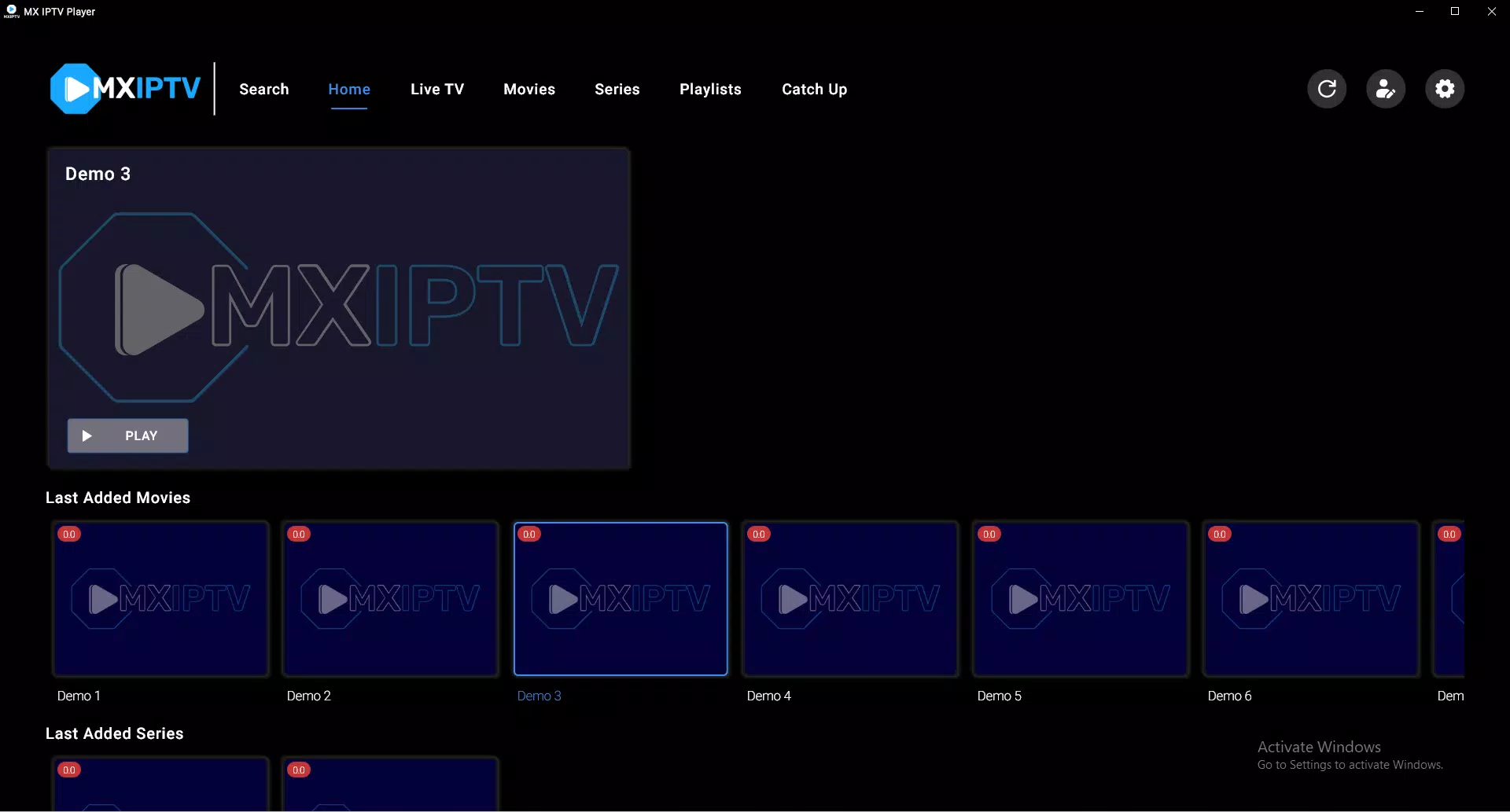
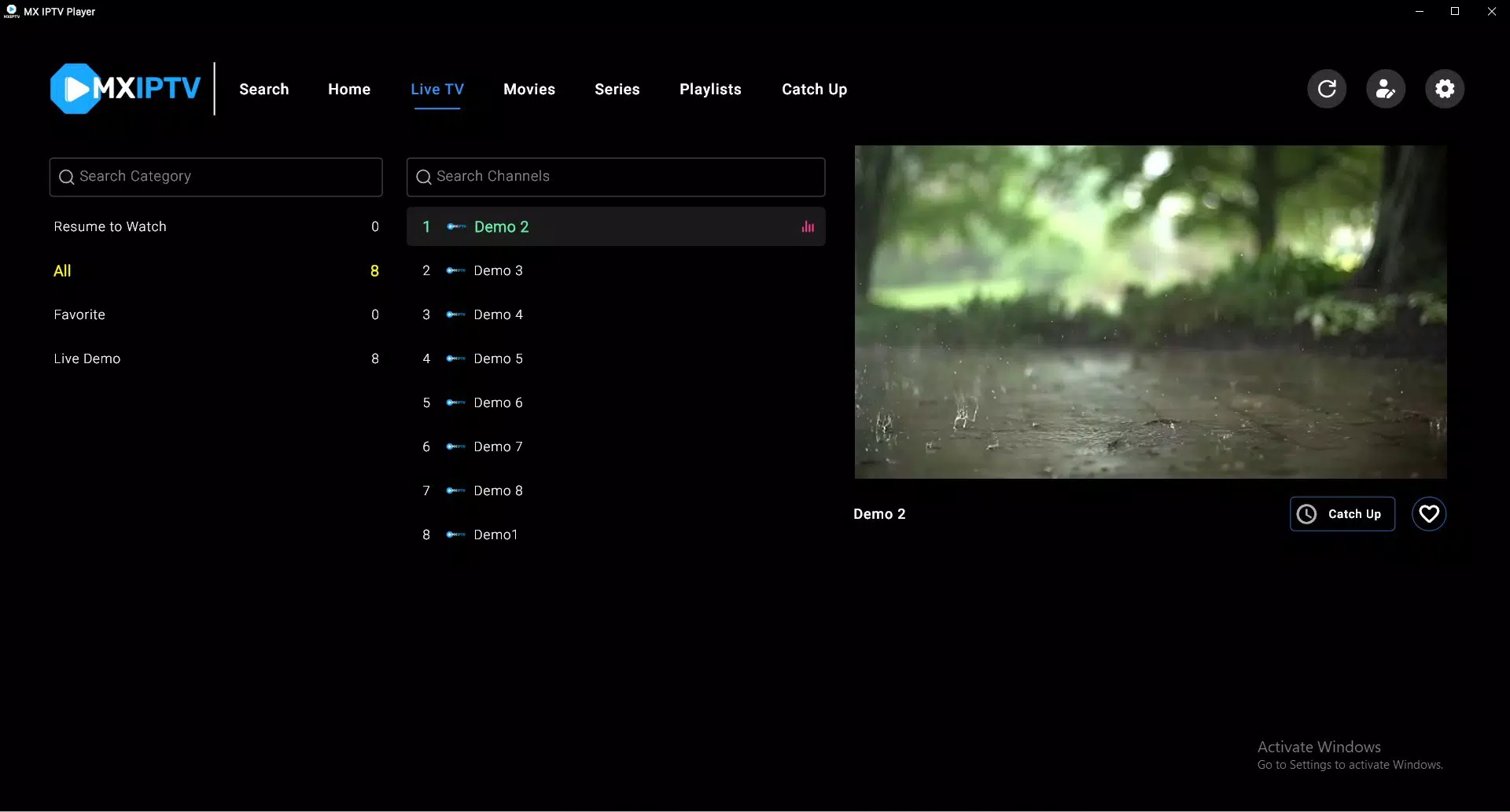
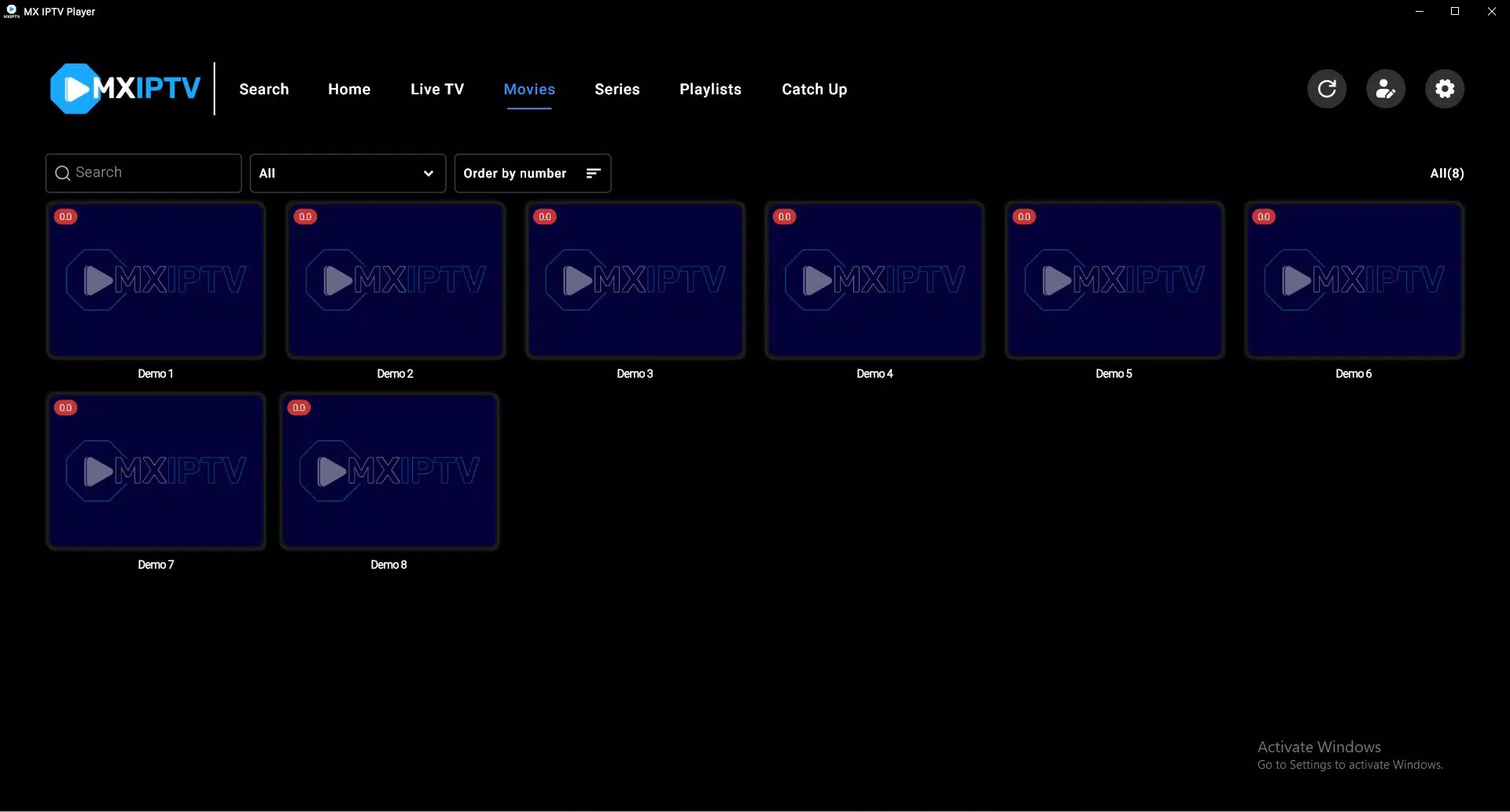
MX IPTV Player features a clean, organized interface designed for efficient navigation across channels and media libraries. The layout prioritizes usability, with clearly labeled sections and responsive touch controls. Visual design elements are minimal yet functional, focusing on content visibility rather than decorative features.
Navigation is straightforward, allowing users to browse channels, access settings, and manage playlists with few taps. The app maintains consistent responsiveness across different screen sizes, from smartphones to large-screen devices. Although the developer did not list formal performance metrics, the app’s emphasis on fast loading and smooth playback suggests optimization for a range of Android hardware.
Stability appears to be a core focus, as the app supports continuous playback without frequent crashes or freezes. Users can expect consistent performance during extended viewing sessions, which is essential for live TV and long-form content. The app’s lightweight nature contributes to efficient memory usage, making it suitable for devices with limited processing power or storage.
Platform Compatibility & Technical Requirements
MX IPTV Player is available for Android devices, supporting a wide range of platforms including Smart TVs, TV sticks, smartphones, and tablets. The app’s software version is 2025-03-20, indicating a recent update that likely includes performance improvements and bug fixes. The file size is not specified in the provided information, but its efficient streaming capabilities suggest a lightweight design.
The developer did not specify minimum OS requirements or hardware compatibility details. As such, users should verify device compatibility through official sources. Compatibility with 4K and Full HD output is confirmed, but specific GPU or processor benchmarks were not disclosed.
Pros and Cons
Pros
- Fast loading of M3U playlists for immediate playback
- Support for 4K and Full HD video quality on compatible devices
- Intuitive interface suitable for all user levels
- Comprehensive content metadata for better viewing decisions
- Advanced parental controls for family safety
Cons
- Specific system requirements were not listed
- Developer background and support channels are not disclosed
- File size and update frequency were not provided
- Compatibility with older Android versions is uncertain
- No official information on cloud sync or backup features
FAQ
Is MX IPTV Player free to download and use?
Yes, MX IPTV Player is available for free. Users can download and install the app without payment. However, access to content depends on external M3U playlists, which may require separate subscriptions or sources.
Can I use MX IPTV Player on my Android Smart TV?
Yes, the app is compatible with Android Smart TVs, as well as TV sticks and other Android-powered devices. Ensure your device runs a supported version of Android.
Does the app support 4K streaming?
Yes, MX IPTV Player is optimized for 4K and Full HD playback on compatible devices. The actual resolution depends on the source playlist and device capabilities.
How do I update MX IPTV Player?
Updates are typically delivered through the official app store or developer’s website. Check for updates manually if automatic updates are disabled.
Is MX IPTV Player safe to use?
As a streaming tool, MX IPTV Player itself is secure. However, users should only use trusted M3U playlists to avoid potential security risks from unverified sources.
Final Thoughts
MX IPTV Player stands out as a powerful, user-focused streaming solution for Android users who rely on M3U playlists for live TV and video content. Its fast performance, high-resolution support, and thoughtful features like parental controls and content metadata make it a top choice for both casual viewers and dedicated IPTV users. While some technical details remain unspecified, the app delivers a polished and stable experience across various devices.
Those who value control over their streaming sources, high-quality playback, and a clean interface will find significant value in MX IPTV Player. Whether you're streaming sports on a Smart TV or watching movies on a tablet, the app adapts seamlessly to your needs.
Download MX IPTV Player now


